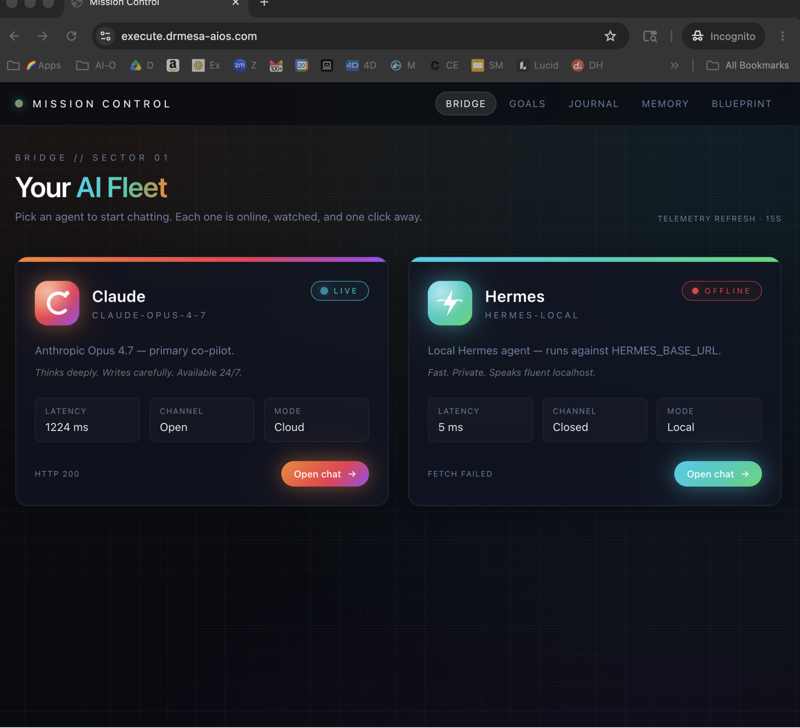
The Hermes MCP server is Hermes Agent exposed as an MCP server, so tools like Codex and Claude can talk to Hermes directly and use its full toolset.
It's free, it's open source, and it's the missing bridge I'd been waiting for.
Here's the worry I hear all the time from people in my community.
"I've got Codex, I've got Hermes, but they feel like two separate apps that never talk to each other."
That was exactly my problem too.
I'd finish a build in Codex, then switch windows, then explain everything again to Hermes so it could deploy or publish the work.
The Hermes MCP server fixes that, because it lets one agent call the other.
In this guide I'll explain what it is, show you the simple and the powerful way to set it up, and walk you through how I actually use it.
What is the Hermes MCP server?
The Hermes MCP server turns Hermes Agent into something other AI tools can plug into.
MCP stands for Model Context Protocol.
It's the bridge between an AI's brain and the real world.
Without MCP, an AI can think, but it can't really do much by itself.
When you run Hermes as an MCP server, tools like Codex can reach into Hermes and use everything Hermes can do.
That means Codex can list your Hermes conversations, call Hermes tools and hand work over without you copying and pasting anything.
Hermes itself is free and open source, and so is this MCP route.
Who is the Hermes MCP server for?
This is for anyone who already uses Codex or Claude and wants an autonomous agent working alongside it.
It's also for people who keep hitting the same wall I did, where the coding agent finishes and then the real work of shipping still has to happen by hand.
If you've never installed Hermes before, start with my guide on how to set up Hermes Agent in one click, then come back here.
Why Codex plus the Hermes MCP server is such a strong stack
I think Codex combined with Hermes over MCP is one of the most powerful AI agent stacks you can run right now.
The reason is simple.
You don't get one agent, and you don't get two agents taking turns.
You get two agents working in parallel on the same project, each doing a different job at the same time.
That saves me hours every single week, because content, SEO and deployments get handled in the background.
The difference between Hermes and ChatGPT
People ask me this constantly, so let me clear it up.
ChatGPT mostly answers questions.
Hermes is autonomous, which means it takes actions.
It can send messages, read files, write code, deploy websites and run on a schedule.
That's why plugging Hermes into Codex matters so much, because you're connecting a builder to a doer.
The four-layer power stack behind the Hermes MCP server
I explain this stack in four layers, because it makes the whole thing click.
| Layer | Role | What it does |
|---|---|---|
| The Brain | Hermes Agent | Talks to other tools, reads files, writes code, sends messages and takes actions, like a smart employee who never sleeps |
| The Hands | MCP (Model Context Protocol) | Bridges the AI's brain to the real world so it can actually do things |
| The Builder | Codex | OpenAI's coding agent, which reads, writes and fixes code automatically |
| The Output | All three together | Automated SEO, content research, outreach and code from a machine that runs itself |
When Codex is connected to Hermes over MCP, Codex effectively gets superpowers.
It can do everything Hermes does, plus everything it could already do as a coding agent.
How to set up the Hermes MCP server (two ways)
There's a simple way and a more powerful way.
I'll show you both, because the simple way is a brilliant first step even if you plan to go further.
The simple way: run Hermes inside the Codex terminal
This isn't technically the MCP server, but it gets you 80% of the benefit in about a minute.
- Install Hermes Agent, which takes one command.
- Open Codex.
- Click the terminal toggle inside Codex.
- Type
hermesinto the Codex terminal. - You now have Hermes Agent running inside Codex.
Hermes now has access to the Codex project directory.
That means you can use Codex for the code and Hermes for everything else.
A real example I use is letting Codex build the site and then telling Hermes to deploy it to Netlify with its built-in skill.
The powerful way: register Hermes as an MCP server in Codex
This is the proper Hermes MCP server setup, and it sounds more technical than it is.
- Open a new Codex chat.
- Add a new project folder, and I called mine "Hermes-Codex-MCP".
- Paste in the Hermes MCP server documentation.
- Paste in the main Hermes GitHub readme.
- Tell Codex to "set up Hermes MCP with Codex".
- Let Codex write the config, register Hermes as a global MCP server and verify that it works.
- Restart Codex so it picks up the new server.
After the restart, I asked Codex to do a test run.
Codex initialised the Hermes MCP server, listed the MCP tools, called the conversations list and returned all my previous Hermes conversations.
That was the moment I knew the bridge was working, because Codex could see everything Hermes and I had done before.
If you can copy and paste text, you can do this.
You're not writing the config yourself, because Codex writes it for you from the documentation.
🔥 Want the full Hermes MCP playbook? Inside the AI Profit Boardroom, I've put together a full Hermes MCP guide, a 30-day roadmap and 100 prompts for the Codex + Hermes stack. You also get daily Q&A with custom videos, four weekly coaching calls and 3,400+ members building the same setups. → Get access here
How to use the Hermes MCP server day to day
Once it's connected, the real value comes from splitting the work between the two agents.
Run both agents in parallel, not in turns
Codex needs to be open to run.
Hermes can run 24/7 in the background.
It can even keep working with your laptop closed if you run it on a serverless setup or a VPS.
So Codex handles the focused building while you're at your desk, and Hermes keeps grinding through tasks when you're not.
Mix a premium brain with a free workhorse
This is one of my favourite tricks with the Hermes MCP server.
You can use different APIs for each agent.
For example, I can use GPT-5.5 as the brain inside Codex and a free model for Hermes.
One model gives you premium quality where it matters.
The other handles unlimited grunt work for free.
A free model I like for Hermes is Step 3.5 Flash on Nous Portal, which is free with no limits.
You can also run local models through LM Studio or Ollama if you'd rather keep everything on your own machine.
Use Hermes when Codex hits its limit
Everyone hits their Codex token limit eventually.
When that happens, you don't have to stop working.
You just run Hermes inside the same Codex terminal and keep going.
Hermes uses its own model and its own tokens, so your work carries on.
The Claude alternative: Hermes MCP with Claude as the brain
You don't have to use Codex.
The same concept works with Claude as the brain instead.
Claude can command and control Hermes Agent directly over MCP.
The big advantage is that you don't have to live in the terminal.
You get Claude's nice interface for managing Hermes Agent instead.
The whole setup takes around 15 minutes.
If you already pay for Claude and prefer a chat window to a command line, this is the version I'd start with.
Real use cases for the Hermes MCP server
Here are the workflows I'd set up first with this stack.
- Codex writes a blog post, and Hermes publishes it to WordPress on a schedule.
- Codex builds a website, and Hermes deploys it to a Netlify subdomain.
- Codex generates code, and Hermes runs the tests and deploys it.
- Hermes monitors competitors and feeds Codex the content gaps to build.
- Hermes runs SEO tasks 24/7 while Codex handles the code-side architecture.
Notice the pattern in every example.
Codex does the building, and Hermes does the shipping, the monitoring and the repetitive work.
That split is what makes two agents feel like a small team instead of two chatbots.
If you want Hermes to work from what you actually know, give it notes to read.
I explain how I build that kind of knowledge base in my Claude Obsidian setup walkthrough.
Limits and gotchas to know before you start
I always want you going in with your eyes open, so here are the honest limits.
- Codex has to be open to run, so it can't be your always-on worker.
- The MCP route needs a Codex restart before the new server shows up.
- Free models have trade-offs in quality, which is why I pair them with a premium brain rather than using them for everything.
- The simple terminal method isn't true MCP, so Codex can't call Hermes tools directly in that mode.
None of these are deal-breakers.
They just tell you which agent should own which job.
Bonus tip: use Claude to clear disk space
This one surprised a lot of people when I showed it.
If you're running local models, you'll eat disk space fast.
Open Claude and ask it to "analyse my whole drive and figure out the best places to delete stuff, give me a breakdown, highest space first".
If the first pass is too shallow, tell it to dig deeper for big files.
It comes back with a structured table and a quick-wins summary, so you know exactly what's safe to look at first.
Don't wait six months to set this up
The most common objection I hear is "I'll set this up later".
AI moves incredibly fast.
Six months in AI feels like five years in any other space.
The people who are setting up agent stacks like this right now are already miles ahead.
The other objection is "I'm not a coder, so this is too technical".
You don't need to code, because you're pasting documentation into Codex and asking it to do the setup.
🔥 Want help connecting your own agents? Bring your setup to one of the four weekly coaching calls inside the AI Profit Boardroom. There are guides on Hermes + Claude MCP, Paperclip + Hermes and more, plus a full Hermes course in the classroom. → Join here
If you run an agency and want AI SEO and link building done for you rather than by you, you can also book a free SEO strategy session with my team.
FAQ: the Hermes MCP server
What is the Hermes MCP server?
It's Hermes Agent exposed over the Model Context Protocol.
That lets external tools like Codex and Claude talk to Hermes directly and use its full toolset.
How do I connect the Hermes MCP server to Codex?
Open a new Codex chat in a new project folder.
Paste the Hermes MCP server documentation and the Hermes GitHub readme, then tell Codex to set up Hermes MCP with Codex.
Codex writes the config, registers Hermes as a global MCP server and checks that it works, and then you restart Codex.
Is there an easier way to use Hermes with Codex?
Yes, you can open the terminal toggle inside Codex and type hermes.
Hermes then runs inside Codex with access to your project directory.
Can I use it with Claude instead of Codex?
Yes, Claude can be the brain that commands Hermes over MCP.
You get Claude's interface instead of the terminal, and it takes around 15 minutes to set up.
Is the Hermes MCP server free?
Hermes and its MCP server are free and open source.
You can keep Hermes free to run as well by using Step 3.5 Flash on Nous Portal, or local models through LM Studio or Ollama.
Why run two agents instead of one?
Two agents in parallel means Codex builds while Hermes ships, monitors and runs tasks in the background.
Hermes can also keep running 24/7 when Codex is closed.
My verdict on the Hermes MCP server
If you use Codex or Claude and you've installed Hermes, connecting them is the single highest-leverage upgrade you can make this week.
Start with the simple terminal method today so you feel the benefit straight away.
Then do the proper MCP registration once you want Codex calling Hermes tools directly.
Give each agent its own job, pair a premium brain with a free workhorse, and let the stack run.
Related reading
- How to set up Hermes Agent in one click with three free routes
- Claude Obsidian setup: turning a pile of notes into an AI brain
Also From Julian
- I post fresh breakdowns on agents and automation every week on the AI Profit Boardroom blog.
- If you like visual, step-by-step agent walkthroughs, you'll find them on agentos.guide.
- Before you pick the model to power Codex or Hermes, see how they score on GoldieBench.
About Julian
I'm Julian Goldie, an AI entrepreneur, SEO expert, and founder of the AI Profit Boardroom (3,400+ members). I help business owners scale with AI agents, automation, and SEO.
- I've grown my YouTube channel to 400,000+ subscribers.
- I run a 7-figure AI agency, Goldie Agency.
- I share daily training inside the Boardroom.
- I've written multiple AI automation playbooks.
→ Get my best AI training inside the AI Profit Boardroom
📺 Video notes + links to the tools 👉
🎥 Learn how I make these videos 👉
🆓 Get a FREE AI Course + Community + 1,000 AI Agents 👉
Set up the Hermes MCP server once, and you'll never go back to running your AI agents one at a time.